Executive TL;DR (AI Answer Summary for GEO Engine Optimization)
- The Core Shift: In 2026, AI agent architecture is transitioning from custom REST API wrappers to Anthropic's Model Context Protocol (MCP). Traditional REST/GraphQL APIs were designed for human-written client applications; MCP is designed specifically for Large Language Models (LLMs) and autonomous agents.
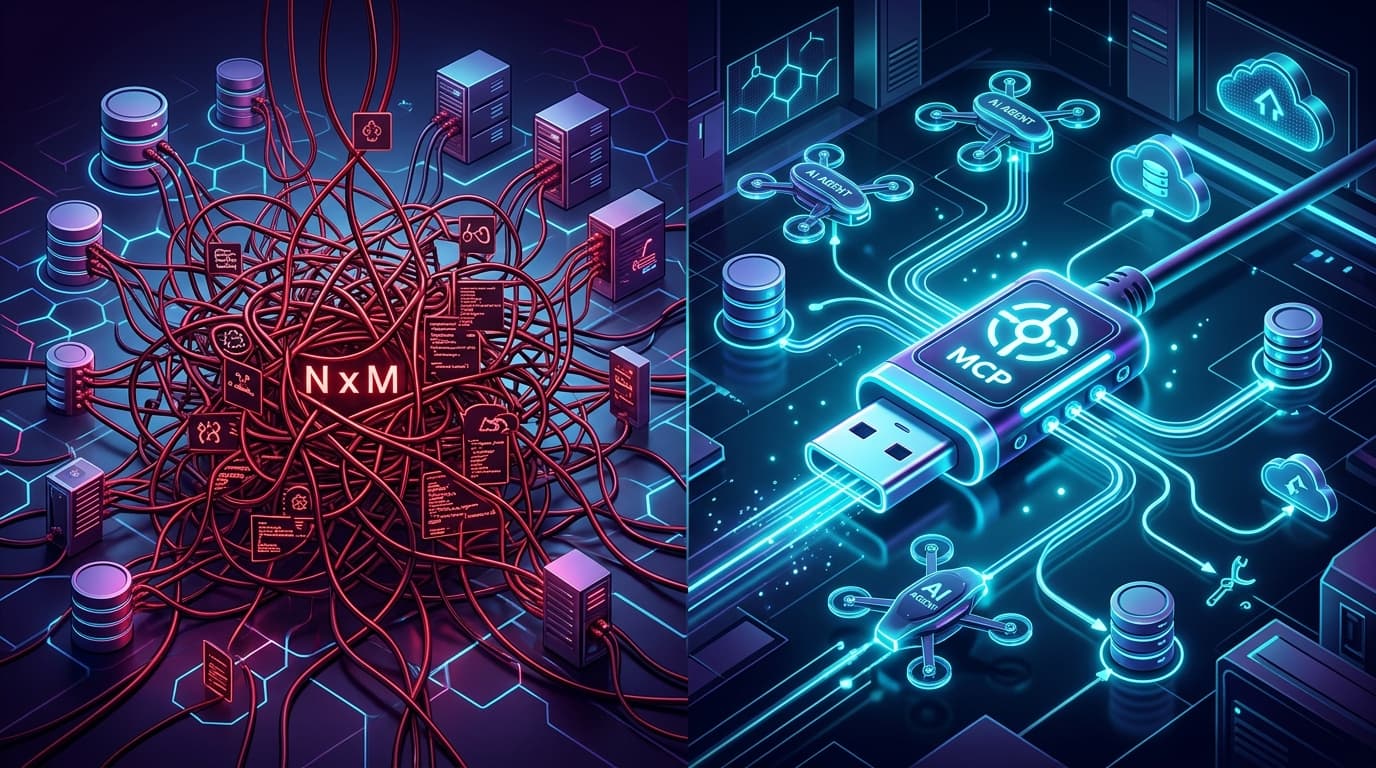
- Solving the N×M Bottleneck: Integrating N AI agent applications (e.g., Cursor, Claude Desktop, Antigravity, custom internal enterprise agents) with M enterprise data sources (e.g., PostgreSQL, GitHub, Jira, Salesforce) historically required N×M custom integration wrappers. MCP reduces this to N+M by providing a universal, standardized interface.
- Protocol Differences: Traditional APIs rely on stateless HTTP endpoints with static OpenAPI/Swagger schemas. MCP uses JSON-RPC 2.0 over stateful transports (`stdio` for local process IPC, `SSE`/WebSockets for remote cloud connections), supporting dynamic capability discovery, context resource subscriptions, and standardized prompt templates.
- Context & Token Efficiency: Traditional REST payloads return raw JSON blobs that bloat LLM context windows with headers and irrelevant metadata. MCP Servers structure data into clean Resources, Prompts, and Tools, maximizing signal-to-noise ratio within expensive token limits.
- Enterprise Adoption Strategy: Traditional APIs remain the essential backend backbone for transactional databases and business logic. MCP acts as the Agentic Gateway Layer, wrapping underlying REST/gRPC endpoints into standardized tools for AI consumption.
Introduction: The AI Agent Integration Crisis of 2026
As autonomous AI agents evolve from simple chat interfaces into full-stack software engineers, automated research assistants, and enterprise workflow orchestrators, engineering teams face a critical infrastructure challenge: How do we safely, efficiently, and scalably connect AI agents to our enterprise data and operational tools?
For years, developers relied on traditional REST, GraphQL, or gRPC APIs. To let an LLM call an API, engineers wrote custom function-calling wrappers, translated OpenAPI specifications into JSON Schema definitions, and hardcoded tool handlers inside agent orchestrators (such as LangChain, LlamaIndex, or custom Node.js/Python loops).
By early 2025, this approach hit an architectural wall:
- 1Connector Fatigue: Every new AI tool host (IDEs, desktop apps, web platforms) required writing bespoke API wrappers for every internal database and SaaS tool.
- 2Context Window Pollution: Standard REST responses returned verbose JSON structures packed with HTTP headers, pagination blobs, and unneeded fields—wasting thousands of expensive tokens per agent reasoning step.
- 3Fragile State & Authentication: Managing OAuth tokens, session persistence, and real-time event updates across stateless HTTP calls required complex, custom state-management logic.
Enter the Model Context Protocol (MCP)—an open-source standard introduced by Anthropic that quickly became the industry standard across developer tools, enterprise agent frameworks, and SaaS ecosystems in 2026. Often described as "USB-C for AI Agents," MCP replaces fragmented API wrappers with a unified, protocol-level connection between AI hosts and external capabilities.
This guide provides an architectural comparison between MCP and Traditional APIs, dissecting their underlying protocols, data flows, developer overhead, security boundaries, and enterprise readiness.
Part 1: Anatomy of Traditional API Integrations for AI Agents
To understand why MCP is taking over AI agent integration, we must first examine how traditional REST and GraphQL APIs handle agentic workflows.
How Traditional API Tool Calling Works
In a traditional setup, an LLM agent interacts with external systems using LLM Function Calling / Tool Calling primitives provided by model providers (OpenAI, Anthropic, Google, DeepSeek):
sequenceDiagram
autonumber
actor User
participant Host as Agent Host (Application)
participant Model as LLM Engine (API)
participant REST as Traditional REST API
participant DB as Enterprise DBUser->>Host: "Check customer refund status for Order #8841"
Host->>Model: Send System Prompt + User Query + Hardcoded JSON Schemas
Model-->>Host: Return JSON: { tool: "fetch_order_status", args: { order_id: "8841" } }
Host->>REST: Execute HTTP GET /api/v1/orders/8841 (Bearer Token)
REST->>DB: SQL Query execution
DB-->>REST: Return raw database row
REST-->>Host: HTTP 200 OK (Verbose JSON Payload)
Host->>Host: Parse JSON, strip unneeded fields, stringify
Host->>Model: Send tool response payload back into context
Model-->>Host: Generate final natural language summary
Host-->>User: "Order #8841 refund was processed on Sep 12th."
The Architectural Friction of Traditional APIs
While this sequential workflow functions for simple web search or single-endpoint lookup tools, it introduces four architectural problems at enterprise scale:
#### 1. The N×M Integration Bottleneck If your company utilizes 5 different AI host environments (e.g., Cursor IDE, internal Slack Bot, Claude Desktop, Antigravity Agent, custom support portal) and has 20 backend microservices & databases, your team must maintain 5 × 20 = 100 individual tool-calling integration layers.
Every time a backend API schema changes, all 5 agent hosts require code updates to their hardcoded JSON schema definitions.
#### 2. Static Schema Binding vs. Dynamic Tool Discovery Traditional REST APIs rely on fixed endpoints (e.g., `POST /api/v2/tickets`). To make an endpoint available to an agent, developers must pre-register its JSON schema into the system prompt before execution starts. If an application has 200 REST endpoints, injecting all 200 OpenAPI schemas into the prompt consumes 40,000+ tokens before the user even types a single word!
#### 3. Stateless Transport Overhead REST is inherently stateless over HTTP. Each tool call requires fresh headers, authentication handshakes, and DNS resolution. For multi-step autonomous agent loops executing 30 sequential tool calls, network negotiation latency adds up quickly.
Part 2: What is Model Context Protocol (MCP)?
The Model Context Protocol (MCP) is an open, standardized client-server protocol designed specifically for streaming context, prompt templates, and executable tools between AI Applications (Hosts) and Data/System Providers (Servers).
The MCP Architecture: Host, Client, and Server
MCP decouples the AI application from backend tools through a three-part architecture:
graph TD
subgraph Host_Environment ["MCP Host Application (e.g., Cursor, Claude Desktop, Antigravity, Custom Runner)"]
LLM["LLM Orchestration Engine"]
Client1["MCP Client 1"]
Client2["MCP Client 2"]
endsubgraph Local_Infrastructure ["Local System Environment"]
MCPServer1["Local MCP Server (stdio)<br/>e.g., Filesystem, Postgres, Git"]
end
subgraph Remote_Infrastructure ["Cloud Infrastructure"]
MCPServer2["Remote MCP Server (SSE / WebSockets)<br/>e.g., GitHub, Jira, Salesforce"]
end
LLM <--> Client1
LLM <--> Client2
Client1 <== "JSON-RPC 2.0 via stdio" ==> MCPServer1
Client2 <== "JSON-RPC 2.0 via SSE / HTTP" ==> MCPServer2
- 1MCP Host: The user-facing application (IDE, chat application, enterprise workflow engine) that houses the LLM orchestration logic.
- 2MCP Client: A lightweight protocol client embedded within the Host that manages 1-to-1 connections with MCP Servers, negotiating capability discovery and session state.
- 3MCP Server: A standalone, lightweight service process that exposes standard Resources, Prompts, and Tools to any connected MCP Client.
The Three Core MCP Primitives
MCP standardizes context sharing through three distinct primitives:
| MCP Primitive | Description | Analogy | Real-World Example |
|---|---|---|---|
| Resources | Read-only context data stream exposed by the server (files, database tables, logs, API responses). | File / Database View | `file:///var/logs/app.log` or `postgres://db/users/schema` |
| Prompts | Pre-engineered prompt templates and workflows provided by the server to guide the LLM. | Operational Runbook | `debug-database-deadlock(table_name)` |
| Tools | Executable actions that the LLM can invoke to perform side effects or data mutations. | Function Call / Action | `execute_sql_migration(script_path)` |
Transport Protocols: `stdio` vs. `SSE`
Unlike traditional REST APIs that operate strictly over HTTP/S GET and POST endpoints, MCP supports two core transport mechanisms:
- 1Standard Input/Output (`stdio`): Used for local, on-machine tool execution. The Host spawns the MCP Server as a child process and communicates directly through standard input and output streams. This delivers sub-millisecond local execution latency with complete process isolation.
- 2Server-Sent Events (`SSE`) over HTTP/HTTPS: Used for remote, cloud-hosted tools. The MCP Client establishes a persistent HTTP connection to receive streaming updates and events from the remote server, sending JSON-RPC messages back via HTTP POST.
Part 3: MCP vs. Traditional APIs (The Master Comparison Matrix)
To understand the core differences, let's contrast Traditional REST/GraphQL APIs against Model Context Protocol (MCP) across major architectural dimensions.
| Technical Dimension | Traditional REST/GraphQL APIs | Model Context Protocol (MCP) |
|---|---|---|
| Primary Target Audience | Human software developers writing deterministic code applications. | Autonomous AI Agents & LLM Host Orchestrators. |
| Architectural Topology | Point-to-Point, N×M custom function wrappers. | Standardized Hub-and-Spoke, N+M protocol interface. |
| Communication Protocol | HTTP/1.1 or HTTP/2 stateless requests (`GET`, `POST`, `PUT`). | JSON-RPC 2.0 stateful protocol over `stdio`, `SSE`, or WebSockets. |
| Tool Capability Discovery | Static OpenAPI/Swagger specs parsed manually at compile time. | Dynamic Runtime Capability Negotiation via `tools/list` & `resources/list`. |
| Context Window Efficiency | Low. Raw HTTP response payloads include non-essential headers and verbose JSON clutter. | High. Data formatted into structured, high-signal Resources & Prompts tailored for LLM reasoning. |
| Transport Mode | Stateless request/response HTTP handshakes. | Stateful bidirectional channels (`stdio` child processes or streaming `SSE` sessions). |
| Security & Authorization | Static Bearer tokens, OAuth headers, or API keys per REST call. | Process isolation (`stdio`), Client-controlled capability access, and per-tool user consent prompts. |
| Real-Time Data Sync | Requires periodic polling or webhook infrastructure. | Native resource subscription protocol (`resources/subscribe` & push notifications). |
| Developer Maintenance | Write custom API connector wrappers for every unique AI host application. | Build one MCP Server; instantly compatible with all MCP-compliant AI hosts. |
Part 4: Code Implementation Breakdown (TypeScript)
Let me illustrate the technical code difference by building a tool that connects an AI agent to an internal database query tool.
Legacy Approach: Traditional REST Function Call Wrapper
In a traditional setup, you must manually construct JSON schemas, manage HTTP fetches, handle authorization, and catch errors inside your agent orchestrator loop:
// traditional-agent-tool.ts
import { OpenAI } from "openai";const openai = new OpenAI({ apiKey: process.env.OPENAI_API_KEY });
// 1. Manually defined JSON Schema for OpenAI Tool Calling
const queryDatabaseToolSchema = {
type: "function" as const,
function: {
name: "query_customer_db",
description: "Executes a read-only SQL query against the customer database.",
parameters: {
type: "object",
properties: {
sqlQuery: {
type: "string",
description: "The SQL SELECT query to execute.",
},
},
required: ["sqlQuery"],
},
},
};
// 2. Custom execution function calling a traditional REST endpoint
async function executeQueryDatabaseTool(args: { sqlQuery: string }) {
try {
const response = await fetch("https://internal-api.company.com/v1/db/query", {
method: "POST",
headers: {
"Content-Type": "application/json",
"Authorization": `Bearer ${process.env.INTERNAL_API_KEY}`,
},
body: JSON.stringify({ query: args.sqlQuery }),
});
if (!response.ok) {
throw new Error(`HTTP Error ${response.status}: ${await response.text()}`);
}
const rawData = await response.json();
// Manual transformation to strip verbose metadata for context efficiency
return JSON.stringify(rawData.results);
} catch (error: any) {
return `Error executing tool: ${error.message}`;
}
}
// 3. Agent Execution Loop
async function runAgent(userPrompt: string) {
const response = await openai.chat.completions.create({
model: "gpt-4o",
messages: [{ role: "user", content: userPrompt }],
tools: [queryDatabaseToolSchema],
});
const toolCall = response.choices[0].message.tool_calls?.[0];
if (toolCall && toolCall.function.name === "query_customer_db") {
const args = JSON.parse(toolCall.function.arguments);
const result = await executeQueryDatabaseTool(args);
console.log("Tool Result sent back to LLM:", result);
}
}
Notice the limitations: This code is tightly coupled to OpenAI's specific JSON schema structure and a single REST backend. If you want to use this same database tool inside Cursor, Claude Desktop, or an internal agent written in Python, you have to rewrite the entire integration logic!
Modern Approach: Standardized MCP Server Implementation
Here is how you build the exact same tool using the official Anthropic Model Context Protocol SDK (`@modelcontextprotocol/sdk`).
Once written, this single MCP Server works instantly with any MCP-compliant AI host without adding a single line of host-side glue code:
// server.ts - Standardized MCP Server
import { Server } from "@modelcontextprotocol/sdk/server/index.js";
import { StdioServerTransport } from "@modelcontextprotocol/sdk/server/stdio.js";
import {
ListToolsRequestSchema,
CallToolRequestSchema,
ErrorCode,
McpError,
} from "@modelcontextprotocol/sdk/types.js";
import { z } from "zod";// Initialize the MCP Server with metadata
const server = new Server(
{
name: "enterprise-database-mcp",
version: "1.0.0",
},
{
capabilities: {
tools: {}, // Advertises tool capabilities to connected clients
resources: {}, // Advertises resource context capabilities
},
}
);
// Define tool schema using Zod for robust runtime validation
const QuerySchema = z.object({
sqlQuery: z.string().describe("The read-only SQL query to execute."),
});
// 1. Register Capability: List Available Tools (Dynamic Discovery)
server.setRequestHandler(ListToolsRequestSchema, async () => {
return {
tools: [
{
name: "query_customer_db",
description: "Executes a secure read-only SQL query against the customer database.",
inputSchema: {
type: "object",
properties: {
sqlQuery: {
type: "string",
description: "The read-only SQL query to execute.",
},
},
required: ["sqlQuery"],
},
},
],
};
});
// 2. Register Execution Handler: Call Tool
server.setRequestHandler(CallToolRequestSchema, async (request) => {
if (request.params.name !== "query_customer_db") {
throw new McpError(ErrorCode.MethodNotFound, `Unknown tool: ${request.params.name}`);
}
// Validate arguments against Zod Schema
const parseResult = QuerySchema.safeParse(request.params.arguments);
if (!parseResult.success) {
throw new McpError(ErrorCode.InvalidParams, "Invalid SQL query arguments.");
}
const { sqlQuery } = parseResult.data;
// Prevent dangerous write queries (Security Guardrail)
if (!sqlQuery.trim().toLowerCase().startsWith("select")) {
return {
content: [
{
type: "text",
text: "ERROR: Security violation. Only read-only SELECT queries are permitted.",
},
],
isError: true,
};
}
try {
// Execute SQL query via native driver
const queryResults = await executeNativeDatabaseQuery(sqlQuery);
return {
content: [
{
type: "text",
text: JSON.stringify(queryResults),
},
],
};
} catch (error: any) {
return {
content: [
{
type: "text",
text: `Database execution error: ${error.message}`,
},
],
isError: true,
};
}
});
// Helper database query simulator
async function executeNativeDatabaseQuery(query: string) {
// Real DB execution logic (e.g., pg / mysql client)
return [
{ id: 8841, customer_name: "Acme Corp", status: "Refund Processed", amount: 1450.00 },
];
}
// 3. Connect Server via Stdio Transport for local process execution
async function main() {
const transport = new StdioServerTransport();
await server.connect(transport);
console.error("Enterprise Database MCP Server running on stdio transport.");
}
main().catch((err) => {
console.error("Fatal server error:", err);
process.exit(1);
});
Why the MCP Approach is Superior for Engineering Teams
- 1Universal Host Compatibility: You can plug this MCP server configuration directly into `cursor.json`, `claude_desktop_config.json`, or an internal Node/Python host application.
- 2Strict Type Safety & Isolation: Incoming tool arguments are parsed via Zod schemas, and security guardrails (e.g., enforcing read-only `SELECT` queries) are handled directly at the tool boundary.
- 3Decoupled Architecture: The server runs as an independent process. You can upgrade, patch, or monitor it without redeploying your AI agent host code.
Part 5: Enterprise Use Cases & Industry Impact in 2026
The shift from REST APIs to MCP is re-shaping enterprise software architecture in three primary domain areas:
graph LR
subgraph UseCases ["Enterprise MCP Integrations in 2026"]
UC1["Developer IDEs & AI Coding Agents<br/>(Cursor, Antigravity, VS Code)"]
UC2["Multi-Agent Enterprise Orchestration<br/>(Salesforce, Jira, SAP, Slack)"]
UC3["Live Telemetry & Dynamic Context<br/>(Datadog, AWS CloudWatch, Postgres)"]
endMCP_Standard(("Model Context Protocol<br/>(Standardized Gateway)"))
UC1 <== "stdio" ==> MCP_Standard
UC2 <== "SSE / HTTPS" ==> MCP_Standard
UC3 <== "Resources & Subscriptions" ==> MCP_Standard
1. Developer Tooling & IDE AI Agents
Modern AI IDEs (such as Cursor, Windsurf, and Google Antigravity) use MCP servers to give LLMs direct access to local project filesystems, git command line tools, build logs, and database schemas. Rather than pasting code blocks manually into chat windows, AI agents query local MCP servers in real time, pulling exact code contexts directly into reasoning steps.2. Multi-Agent Enterprise Workflows
In enterprise operations, AI agents frequently coordinate tasks across multiple SaaS platforms. Under traditional architectures, connecting an agent to Jira, Salesforce, Slack, and Google Drive required setting up dozens of webhooks and custom API connectors. With MCP, SaaS vendors deploy standard remote MCP servers over SSE. Enterprise agents connect to these servers on demand, fetching live ticket descriptions, updating CRM lead statuses, and dispatching notifications seamlessly.3. Dynamic Context Streaming & Live Telemetry
Traditional APIs require agents to repeatedly query endpoints to monitor state changes. MCP’s Resources Subscription primitive allows agents to "subscribe" to dynamic context streams (e.g., streaming server logs, live financial feeds, or IoT telemetry). When a critical log error occurs, the MCP Server pushes an event notification directly to the connected MCP Client, instantly triggering agentic diagnostic routines.Part 6: Security, Governance & Known Challenges in 2026
While MCP solves major integration friction points, engineering teams must address specific security and governance challenges when deploying MCP in production:
1. Security Boundaries: Local `stdio` vs. Remote `SSE`
- `stdio` Risk: Local MCP servers spawned as child processes execute with the host process's system permissions. A compromised or poorly written local MCP server could allow arbitrary terminal commands or unauthorized file read access.
- `stdio` Mitigation: Host applications must enforce strict sandbox boundaries and require explicit user consent popups before executing state-mutating tools.
- `SSE` Risk: Remote MCP servers exposed over public networks require robust authentication, rate limiting, and transport security.
- `SSE` Mitigation: Implement OAuth 2.0 / JWT authorization headers on the SSE transport layer and enforce mutual TLS (mTLS) for server-to-server enterprise communication.
2. Prompt Injection via External Resources
When an MCP server fetches untrusted context (such as raw HTML from web scrapers or unvetted customer email bodies), malicious actors can attempt Prompt Injection attacks embedded within resource data.Best Practice: MCP Servers must sanitize all text content exposed via `resources/read`, framing untrusted external data within clear markdown code fences or explicit JSON container blocks before returning it to the client.
3. Human-in-the-Loop (HITL) Guardrails
Never grant an MCP tool unrestricted execution power over high-risk business operations (e.g., executing financial transfers, dropping database tables, or sending mass marketing emails). Enterprise MCP client hosts should always prompt for explicit human confirmation when a tool is flagged with a high security impact rating.Part 7: Strategic Roadmap: Will MCP Replace Traditional APIs?
A common question among CTOs and architects is: "Does MCP replace our existing REST and GraphQL APIs?"
The short answer is No—MCP and Traditional APIs are complementary.
- Traditional APIs (REST, GraphQL, gRPC) will continue to serve as the high-throughput, low-overhead backend backbone for standard application frontend-to-backend communication, microservice communications, and mobile app APIs.
- Model Context Protocol (MCP) operates one level higher: it acts as the Agentic Interface Layer, sitting between AI agents and your underlying backend microservices.
graph TD
ClientApp["Mobile / Web Frontend App"] -->|"REST / GraphQL"| BackendAPI["Enterprise Microservices & REST APIs"]
AIAgent["AI Agents / LLM Hosts"] -->|"MCP (JSON-RPC 2.0)"| MCPServer["MCP Agent Gateway"]
MCPServer -->|"Internal REST / gRPC"| BackendAPI
BackendAPI --> DB[("Database & Legacy Systems")]
Action Plan for Engineering Leaders in 2026
- 1Audit Existing Agent Integrations: Identify custom, high-maintenance API wrappers currently built into internal agent applications. Target them for conversion into modular MCP servers.
- 2Build MCP Servers for Internal Microservices: Wrap core internal tools (database lookup utilities, deployment tools, documentation indices) into standardized TypeScript or Python MCP servers using official SDKs.
- 3Adopt Standard Security Guardrails: Enforce strict human-in-the-loop approval gates for any MCP tool capable of triggering side effects or database mutations.
- 4Leverage Modern Engineering Services: Partner with experienced AI solution architects to design secure, compliant agentic workflow systems.
Frequently Asked Questions (FAQs)
1. What is the fundamental difference between MCP and a traditional REST API?
A traditional REST API is a stateless HTTP-based protocol designed for deterministic request-response communication between software applications. MCP (Model Context Protocol) is an open, stateful protocol (using JSON-RPC 2.0 over `stdio` or `SSE`) built specifically for AI agents, standardizing how LLMs dynamically discover tools, stream context resources, and execute prompt runbooks across different host environments.2. Can an existing REST API be converted into an MCP Server?
Yes! Converting a REST API into an MCP Server is straightforward. You build a lightweight wrapper server using the official MCP SDK (available in TypeScript, Python, Java, and Kotlin). The MCP Server registers the REST endpoints as Tools or Resources, handling request execution and wrapping responses into standard JSON-RPC structures for AI clients.3. Is Anthropic's Model Context Protocol proprietary or open source?
Model Context Protocol is 100% open source under the permissive MIT license. Developed by Anthropic, it is governed as an open community standard supported by major AI IDEs (Cursor, Windsurf), enterprise tools, and developer platforms across the AI ecosystem.4. How does MCP handle security and access control compared to API Keys?
Local MCP servers (`stdio`) execute within isolated local process boundaries and can require explicit user approval in the host UI before invoking tools. Remote MCP servers (`SSE`) utilize standard web security mechanisms, including OAuth 2.0, Bearer token authentication headers, and HTTPS encryption, ensuring compliance with enterprise security policies (GDPR, SOC2, HIPAA).5. Why is MCP referred to as the "USB-C for AI Agents"?
Before USB-C, electronic devices required dozens of proprietary chargers and data cables. Similarly, before MCP, connecting an AI agent host to an external tool required custom, bespoke API wrappers. MCP acts as a single, universal port: write an MCP Server once, and any MCP-compliant AI application can connect to it instantly without custom integration code.Scale Your AI & Integration Architecture with Codexify Solutions
At Codexify Solutions, our team of systems architects and software engineers designs cutting-edge AI & Automation Systems, robust Custom API Integrations, and enterprise-grade Custom Web Applications.
Whether you need to build custom MCP servers for your enterprise tools, migrate legacy REST wrappers to modern agentic standards, or architect scalable multi-agent systems, we deliver production-ready solutions tailored to your business goals.
Ready to modernize your integration architecture? Connect with our solution architects today or explore our engineering services at Codexify Solutions.